

Introductions New to CMOC? Introduce yourself and your Mustang!

I'm NEW to CMOC

Thread Tools
 
Search this Thread
 
Old Feb 17, 2005 | 11:42 PM
  #11  
V6Sprout's Avatar
CMOC Veteran
iTrader: (1)
 
Joined: Oct 2004
Posts: 442
From: Thorold, Ontario
cool, a fewllow Protege 5 owner, thats my gamily car right now, mine is a 2002.

Welcome to the board bro!
Old Feb 18, 2005 | 03:21 AM
  #12  
MUSTANG GUY's Avatar
CMOC Elite
 
Joined: Nov 2004
Posts: 1,603
From: Toronto
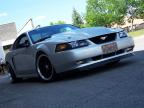
Welcome to the board man, nice project car you got there
Old Feb 19, 2005 | 12:48 PM
  #13  
BabyTisha's Avatar
CMOC Veteran
 
Joined: Oct 2004
Posts: 236
From: On Top
well, nice to see you in here hun....but you actually sold the vette? :cry2:
Old Feb 19, 2005 | 03:11 PM
  #14  
1low03gt's Avatar
Administrator
 
Joined: Jan 2005
Posts: 17,778
From: Ontario
Welcome
Old Feb 19, 2005 | 06:01 PM
  #15  
1BADRIDE's Avatar
Thread Starter
CMOC Veteran
 
Joined: Feb 2005
Posts: 468
From: Markham, ON
Originally Posted by BabyTisha
well, nice to see you in here hun....but you actually sold the vette? :cry2:
Yeah... the Z is GONE! :cry2: :cry2: :cry2:

Don't worry, I kept the turbo setup. I'll get another Vette soon. :biggrin:

For now, until my insurance returns to normal, I am going to boost the mustang and play with that.
Old Mar 1, 2005 | 05:11 PM
  #16  
250rtone's Avatar
CMOC Rookie
 
Joined: Feb 2005
Posts: 112
From: Brandon Manitoba,Canada
Not to change the topic but ...i am new here and i have a ton of pics of my car but they are too big to post, how do i resize them?
Old Mar 1, 2005 | 05:42 PM
  #17  
BlueGT's Avatar
CMOC Supreme poster
iTrader: (4)
 
Joined: Oct 2004
Posts: 2,668
From: Ajax, Ontario
Originally Posted by 250rtone
Not to change the topic but ...i am new here and i have a ton of pics of my car but they are too big to post, how do i resize them?
Download this program called IrfanView:
http://www.download.com/IrfanView/30...ml?tag=lst-0-1

It's a great litte program and you can resize images quickly and easily.

Once you install Irfran, open your image (File>Open) and then resize (Image>Resize/Resample). A good size for web images is 600x400 or smaller and save them as a GIF not a JPG.
Related Topics
Thread
Thread Starter
Forum
Replies
Last Post
Kingkona
Introductions
10
Sep 25, 2013 03:51 AM


All times are GMT -5. The time now is 08:56 AM.